

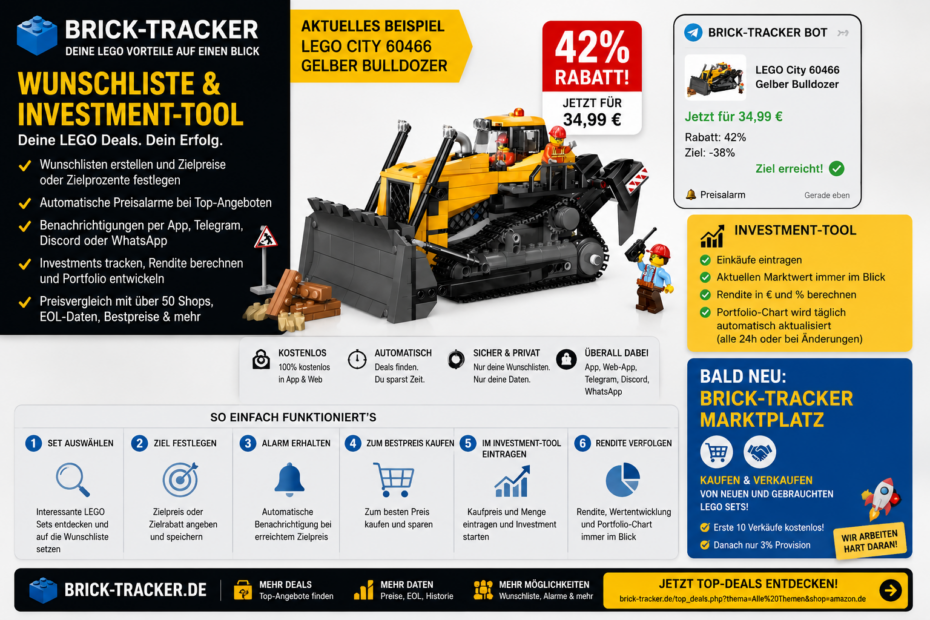
For me, the Brick-Tracker Wishlist has long been more than just a list of items to keep track of
I now use the Wishlist in Brick-Tracker every day for two things: as a personal EOL list for my Investments and for sets that I simply want to own myself.
I used to keep track of things like that on scraps of paper or in spreadsheets. Now I create my own Wishlists in Brick-Tracker, where I can name them and add any interesting sets to them. For Investments, for example, this could be a list called “EOL 2026,” while for my personal Collection, it could be something completely different.
But the key point is this: I don’t just save the set. I specify right away at what price or with what discount I actually want to buy it.
Set a target price and then do nothing else
This is exactly where the Wishlist gets interesting for me. For example, I enter a target discount of 38 percent, and after that, I no longer have to check every store every day.
The Brick-Tracker automatically monitors prices. As soon as my target is reached or even exceeded, I receive a notification.
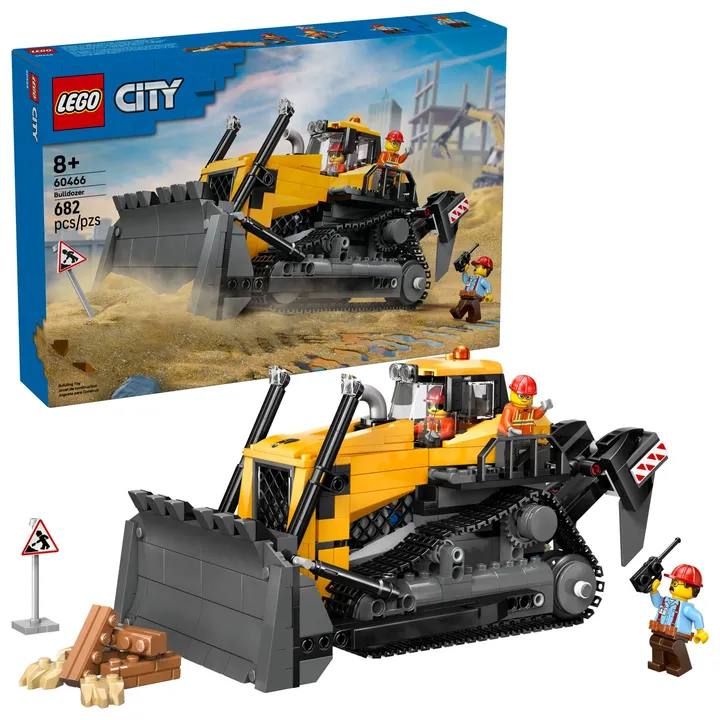
A recent example is the LEGO City 60466 Yellow Bulldozer. I find it very interesting as an EOL Investment. My target was a 38 percent discount. The current deal was actually 42 percent—and that’s exactly what the Brick-Tracker bot automatically notified me about.


LEGO 60466 Price Comparison · Add to Wishlist and Set Up a Deal Alert
Only the deals from my own Wishlist
For me, that’s one of the biggest advantages of all: I don’t have to search through all the live deals when I’m only interested in ten specific sets.
My Wishlist is my personal deal filter. I decide in advance which sets are important to me and at what price I’m willing to buy them. After that, I only see the relevant information.
This works through the Brick-Tracker app, Telegram, and Discord. In the app, for example, you can enter your Telegram ID or Discord ID. The bot can then send you private messages about your Price Alerts.
You don’t need to write any code or build your own bot. The setup is explained in Brick-Tracker, and the system then handles monitoring automatically.
Perfect for EOL lists
For LEGO investors in particular, the Wishlist serves as a digital EOL list for me. I can sort sets by year—for example, “EOL 2026”—and save only the models that I find truly interesting.
As soon as I’ve bought the amount I want, I remove the set from the list. That keeps the list organized, and I can see right away which purchases are still pending.
And since the Wishlist is linked to my account, I always have it with me on my phone, tablet, and computer. No more slips of paper in my wallet and no more guessing in the store.
The Investment Tool starts after the purchase
As soon as I buy a set, I head straight to the Brick-Tracker Investment Tool.
In the Price Comparison tool or in the app, I can add a set to my portfolio. I enter how many copies I bought and at what price. For *Bulldozer*, for example, that would be 34.99 euros, followed by the quantity purchased.
After that, the tool takes care of the rest.
Purchase Price, Market Value, and Return at a Glance
For each set, the Investment Tool shows me the purchase price, the current market value, my profit in euros, and the return on investment as a percentage.
If I buy the same set multiple times at different prices, the system automatically calculates an average purchase price. So I no longer have to create a mixed-cost calculation myself in Excel.
The details view also lets me see when I bought a set, at what price, and how many I bought. This way, every purchase is documented.
Also of interest for Collection Management
By the way, you don’t have to be an investor. The Investment Tool can just as easily be used for Collection Management.
If you just want to know what your LEGO collection is worth today, simply enter your sets and you’ll see the current total value. This can be helpful if you’re planning to sell your collection later, for insurance purposes, or just out of curiosity.
The portfolio chart runs automatically
The portfolio chart is especially important to me. It shows the performance of my entire LEGO portfolio and updates automatically.
The chart is recalculated every 24 hours. If I add or remove a set myself, or make a change to a purchase, the chart is also immediately regenerated.
This allows me to see not only the current value, but also how my portfolio is performing over the course of weeks and months.
The Wishlist and Investment Tool are directly integrated with each other
For me, this adds up to a complete process:
- Discover this set on Brick-Tracker.
- Add to Wishlist.
- Set a target price or target discount.
- Get automatic notifications via the app, Telegram, or Discord.
- Buy at the price you want.
- Record the purchase in the Investment Tool.
- Automatically track market value, returns, and your portfolio.
That’s exactly the point: I don’t have to use five different tools. Planning, cost tracking, and portfolio management all run in the same system.
The app and web app are synchronized
All you need for the Wishlist and Investment Tool is a free Brick-Tracker account.
The web app and mobile app are synced. I can add a purchase while I’m out and about and continue working on it later on my computer. I can also create a Wishlist on my computer and then open it on my phone while I’m at the store.
This saves an enormous amount of time, especially when dealing with larger collections or Investments.
And soon, the Brick-Tracker Marketplace will be added
The next step is already in the works: the Brick-Tracker Marketplace.
Private and commercial sellers will be able to register there to offer new, unopened sets and used LEGO sets.
Our goal is to make the sales process as fast as possible. It should be possible to list an item in just a few seconds. The first ten sales will be free; after that, a 3 percent commission will apply.
That would bring things full circle: discover a set, monitor your target price, buy it, track your portfolio, and later resell it directly through Brick-Tracker.
My Conclusion
For me, the Brick-Tracker Wishlist isn’t just a regular Wishlist anymore. It’s my digital EOL list and my personal deal filter.
The Investment Tool then handles the second part: documenting purchases, updating market values, calculating returns, and displaying the entire portfolio history.
Basically, all I do is tell the system which sets I want and at what price. Then the Brick-Tracker notifies me when something interesting comes up. After I make a purchase, I enter the details and can automatically track its progress.
And the whole thing is free.